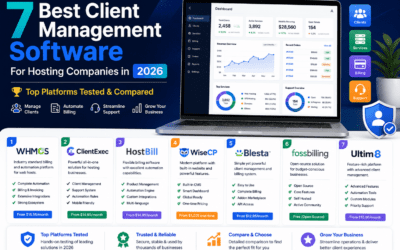
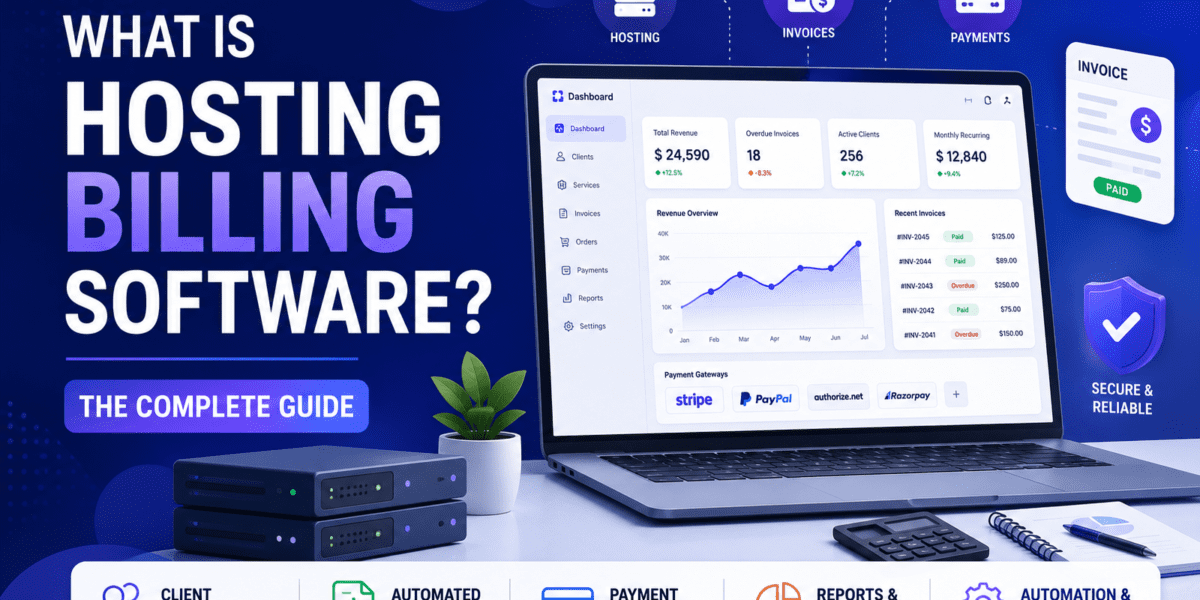
A plain-English guide to hosting billing systems, what they do, who needs one, and how WHMCS, HostBill, Blesta, WiseCP, and ClientExec stack up in 2026.
Written by Sumit Pradhan — Hosting automation consultant with 12+ years deploying WHMCS, HostBill, Blesta, and WiseCP for resellers, MSPs, and large hosting brands. Connect on LinkedIn →
What is hosting billing software? Hosting billing software is a platform that automates the business side of running a web hosting company. It handles client signups, recurring invoicing, payment collection, account provisioning on control panels like cPanel or Plesk, domain registration, and customer support, all from one dashboard.
What is a web hosting billing system? A web hosting billing system is the same tool viewed as a workflow: an automated pipeline that turns a website visitor into a paying, provisioned hosting customer without manual work. Popular hosting billing systems in 2026 include WHMCS, HostBill, Blesta, WiseCP, and ClientExec.
If you run a hosting brand, a reseller business, or an agency that bills clients for hosting, you cannot scale on spreadsheets and PayPal links. You need a real web hosting billing system that creates invoices, charges cards, provisions servers, and sends overdue reminders while you sleep. This guide explains exactly what hosting billing software is, how it works, who needs it, and how to pick the right platform for 2026.
This page is the topical hub. If you came here looking for a head-to-head ranking instead of a definition, jump to our Best Hosting Billing Software roundup for the comparison-first view. Otherwise, keep reading.
Ready to launch with the industry standard?
WHMCS still powers the majority of professional hosting brands in 2026. See current plans and licensing tiers.
View WHMCS Pricing →What Is Hosting Billing Software, Really?
At its core, hosting billing software (sometimes called host billing software, web host billing, or billing software for web hosting) is an all-in-one platform that connects three things that are normally separate:
- Sales — your order form, shopping cart, and signup flow.
- Money — invoicing, payment gateways, taxes, reminders, refunds.
- Service delivery — provisioning the actual cPanel account, VPS, domain, or SSL certificate the customer just paid for.
Without a billing host platform, a hosting company would need a CRM, an invoicing app, a payment processor dashboard, a ticketing system, and a control panel, and someone to copy data between all of them. Web hosting billing software replaces that mess with one database, one staff login, and one client portal.
Hosting Billing System vs. Generic Invoicing Tools
People sometimes ask why they can't just use Stripe Billing, FreshBooks, or QuickBooks. The answer is provisioning. A generic invoicing app can charge a card on the 1st of every month, but it cannot SSH into your WHM server, create the cPanel account, set the package, install WordPress, and email the login. A real hosting billing platform can. That single capability is what separates billing for hosting from billing for any other business.
How Hosting Billing Software Works (The 4 Core Pillars)
Every major host billing software on the market in 2026, WHMCS, HostBill, Blesta, WiseCP, ClientExec, is built around the same four workflows. Understand these and you understand the category.
1. Automated Provisioning
When a customer pays, the billing software talks to cPanel, Plesk, DirectAdmin, Virtualizor, SolusVM, Proxmox, or your cloud API and creates the account automatically. No human in the loop. New customers are live in under 60 seconds.
2. Recurring Invoicing
The system generates invoices on the right cycle (monthly, quarterly, annual, biennial), applies the right tax (US sales tax, EU VAT, GST), and sends them by email or webhook. It also handles credits, refunds, and pro-rata changes.
3. Payment Gateways
Modern hosting billing platforms ship with 40 to 90+ gateways out of the box: Stripe, PayPal, Authorize.net, Razorpay, Mollie, crypto. Cards are charged automatically on renewal and failed payments trigger dunning sequences.
4. Client Area & Support
A branded customer portal where clients view invoices, update cards, open tickets, manage domains, log into cPanel single-sign-on, and order add-ons. This is where 90% of customer self-service happens.
The End-to-End Workflow, Step by Step
Here is what actually happens when a visitor lands on your hosting website and clicks “Buy Now,” powered entirely by web hosting billing software:
Order placed
Visitor selects a plan and configurable options (domain, SSL, extra storage) on the integrated order form. The billing system creates a draft account and invoice.
Payment captured
The configured payment gateway processes the card or PayPal charge. The billing system records the transaction, generates a PDF invoice, and triggers tax calculation.
Service provisioned
Within seconds, the hosting billing system calls the control panel API, creates the cPanel/Plesk account, registers the domain through the registrar module, and installs any included apps (WordPress, mail, SSL).
Welcome email sent
A templated welcome email goes out with login credentials, nameservers, and a link to the client area. The customer is fully self-serve from minute one.
Renewal & retention loop
30 days before renewal the system emails the client, charges the saved card on renewal day, and if the payment fails, it retries, sends reminders, and finally suspends or terminates the account on a schedule you control.
Who Needs Hosting Billing Software?
Not every web business needs a full billing hosting platform. Here is the honest breakdown of who actually benefits, and who is over-engineering.
Reseller Hosts
If you bought reseller hosting from SiteGround, A2, or InterServer and want to sell cPanel accounts under your own brand, you need billing software the day you take your second customer. Manual invoicing breaks down fast. Start with our reseller hosting picks paired with billing.
Hosting Companies
Full hosting brands running shared, VPS, or dedicated infrastructure absolutely need a host billing system. WHMCS, HostBill, and Blesta were built specifically for this audience. Nothing else scales past a few hundred customers.
Web Agencies
Agencies that bundle hosting with design and maintenance use billing software to charge clients monthly retainers, manage their hosting accounts, and white-label the experience. ClientExec and Blesta are particularly popular here.
Cloud / VPS Sellers
Anyone reselling AWS, DigitalOcean, Linode, Vultr, or running their own KVM/Proxmox nodes needs billing software with cloud provisioning modules. HostBill leads this niche; WHMCS follows with paid addons.
SaaS & Domain Resellers
Selling SSL certificates, Microsoft 365 seats, Google Workspace, domain names, or any recurring digital product? A hosting billing platform handles the recurring billing and license keys far better than Stripe Billing alone.
Who Doesn't Need It
Single-site freelancers, one-off project owners, and anyone with fewer than 10 recurring clients. Stripe Payment Links or FreshBooks will do the job at a fraction of the cost and complexity.
If you are still in the planning stage, read how to start a hosting business first, that guide walks through the infrastructure decisions that come before picking billing software.
The Big 5 Hosting Billing Software Compared (2026)
Five platforms own roughly 95% of the professional hosting billing market in 2026. Here is the apples-to-apples comparison, with pricing pulled directly from each vendor as of June 2026.
| Platform | Entry Price (2026) | Pricing Model | Best For | Standout Feature |
|---|---|---|---|---|
| WHMCS | $9.99/mo (Starter, 25 clients) | Tiered SaaS or self-hosted, scales with client count | The industry default, biggest module ecosystem | 1,000+ third-party modules & integrations |
| HostBill | $599 one-time (Starter) | Perpetual license, $125/yr updates | Mid-large hosts, cloud / IaaS resellers | 500+ native integrations, no modules to buy |
| Blesta | $17.95/mo or $350 one-time | Unlimited clients on every plan, 99% open source | Developer-led teams & cost-conscious hosts | Auditable source code, flat pricing forever |
| WiseCP | $1,025 one-time (Startup) | Perpetual license, $89/yr renewal | Hosts who want CMS + billing in one | Built-in website CMS, multi-currency GeoIP |
| ClientExec | $16.95/mo or $250 one-time | Flat-rate, unlimited everything | Agencies & small-to-mid hosts | No client-count caps, easiest onboarding |
Deep-Dive Reviews of Each Platform
For full hands-on testing, screenshots, and verdicts on each platform, see our individual reviews:
- WHMCS Review — the industry standard, 90% market share, paid module ecosystem.
- HostBill Review — feature-loaded perpetual license, ideal for cloud and VPS sellers.
- Blesta Review — open source, transparent pricing, the developer's choice.
- WiseCP Review — billing software with a built-in CMS and storefront.
- ClientExec Review — flat-rate, unlimited clients, simplest learning curve.
And for direct head-to-heads, check WHMCS vs HostBill, WHMCS vs Blesta, and WHMCS vs WiseCP.
Skip the analysis paralysis
WHMCS remains the safest pick for most hosting businesses in 2026 — biggest community, most modules, every host integrates with it.
Start with WHMCS →Core Features Every Web Hosting Billing System Should Have
When you evaluate any billing software for web hosting, run through this checklist. Anything missing more than two items is not ready for production.
Must-Have Features
- Native control panel modules (cPanel, Plesk, DirectAdmin)
- Recurring billing with multiple cycles
- 30+ payment gateways including Stripe & PayPal
- Domain registrar integrations (eNom, Namecheap, OpenSRS)
- Automated provisioning & suspension rules
- Dunning & failed-payment retry logic
- Branded client area with SSO to cPanel
- Built-in ticket / support desk
- Multi-currency & tax automation (EU VAT, US sales tax)
- API access and webhook events
- Two-factor authentication for staff & clients
- PDF invoice generation & legal numbering
Nice-to-Have Extras
- Mobile app for staff
- Affiliate / referral system
- Native CMS or blog (WiseCP only)
- Cloud provisioning (AWS, DigitalOcean, Proxmox)
- Fraud-detection & MaxMind scoring
- Automatic currency exchange updates
- White-label removal of “Powered by”
- EU e-invoicing / Peppol support
- Reseller sub-account hierarchy
- Knowledge base & canned responses
- Marketplace / addon store
- Live chat integration
How to Choose the Right Hosting Billing Software
Picking a billing platform is a 5-to-10 year decision. Migrations are painful (though Blesta does ship a WHMCS import tool). Use this framework to decide.
Count your active clients honestly
Under 25 clients? WHMCS Starter at $9.99/mo or ClientExec at $16.95/mo are no-brainers. Over 250 clients? The math flips, perpetual licenses (HostBill, WiseCP, owned Blesta) save thousands per year because WHMCS scales linearly with client count.
List the integrations you actually need
Selling only cPanel shared hosting? Every platform handles that. Selling VPS on Proxmox or Virtualizor? Check the module list carefully, HostBill leads here. Reselling Microsoft 365 or selling SSL? Confirm registrar and SaaS provisioning modules exist.
Decide: SaaS or self-hosted?
SaaS (WHMCS Cloud, ClientExec Hosted, Blesta Monthly) means zero server maintenance but you cannot deeply customize the database. Self-hosted means full control, full responsibility, and you handle PHP upgrades, backups, and security yourself. Most growing hosts choose self-hosted.
Match the platform to your team's skill
If you have a PHP developer on staff, Blesta or HostBill unlock huge customization. If your team is sales-and-support only, WHMCS or ClientExec offer the gentlest learning curve and the biggest YouTube tutorial library.
Calculate the 5-year total cost
Don't compare $9.99/mo vs. $599 one-time on month one. Project both forward 5 years assuming you hit 250, 500, then 1,000 clients. WHMCS at scale can easily run $1,000+/mo. HostBill at $599 + $125/yr renewals stays under $1,200 for the same period. That gap funds a part-time developer.
Common Mistakes When Choosing Billing for Hosting
- Picking on price alone. A $9.99/mo plan that locks you into a $5,000/year tier in 18 months is more expensive than a $599 one-time license.
- Ignoring the module ecosystem. You will need a custom report, a niche payment gateway, or a regional registrar. WHMCS wins this on raw selection; the others are catching up.
- Forgetting tax compliance. If you sell to EU customers you need VAT MOSS support. If you sell to US you need Avalara or TaxJar integration. Not all platforms ship this out of the box.
- Skipping the staging environment. Always test upgrades on a clone before touching production. See our WHMCS staging guide.
- Underestimating email deliverability. Your billing software sends thousands of transactional emails. If they hit spam, your renewals fail. Read the email deliverability guide before launch.
Hosting Billing Software FAQ
What is the difference between hosting billing software and a hosting control panel?
A control panel (cPanel, Plesk, DirectAdmin) manages the actual server, files, databases, email, and the customer's website. Hosting billing software sits in front of the control panel and handles signups, payments, and customer accounts. Billing software talks to the control panel via API to create and suspend accounts. You need both, they solve different problems.
Is hosting billing software the same as a web hosting billing system?
Yes, the terms are used interchangeably. “Hosting billing software” refers to the product (WHMCS, HostBill, Blesta). “Web hosting billing system” refers to the same product viewed as a process, the end-to-end automation from order to provisioning to renewal.
What is the best free hosting billing software?
FOSSBilling (formerly BoxBilling) is the leading free and open-source option in 2026. It handles basic invoicing, provisioning, and client management, but lacks the depth of WHMCS or HostBill and has a smaller module ecosystem. For serious commercial use, paid platforms are still the standard.
How much does hosting billing software cost in 2026?
Entry-level pricing runs from $9.99/month (WHMCS Starter) to $1,025 one-time (WiseCP Startup). Most growing hosts spend $25 to $85 per month or $250 to $1,000 one-time. Budget another $50 to $300 per year for renewals, addon modules, and premium payment gateways.
Can I migrate from one hosting billing system to another?
Yes, but it is a project, not a click. Blesta ships an official WHMCS migration tool. HostBill offers migration services from WHMCS, ClientExec, and Blesta. Other migrations usually require custom database scripting. Plan for 1 to 4 weeks including testing and DNS/email continuity.
Does hosting billing software work with WordPress?
Yes. Every major platform integrates with WordPress as a marketing front-end while the billing system handles checkout, account, and provisioning. WHMCS in particular has a “WHMCS for WordPress” bridge plugin. You can also automate WordPress installs at signup, see our WP Toolkit guide.
Do I need hosting billing software if I only have 10 clients?
At 10 clients, Stripe Billing plus a simple ticketing tool may be enough. But the moment you start onboarding by hand more than once a week, or your renewals are slipping through the cracks, the math says yes, upgrade. The cheapest billing host platforms cost less than $20/month, the time saved pays for itself in week one.
Which hosting billing software is best for resellers in 2026?
For small resellers under 100 clients: WHMCS Starter or ClientExec for the lowest entry cost. For growing resellers (100 to 500 clients): WHMCS Plus or Blesta for the best feature-to-price ratio. For white-label-heavy reseller agencies: Blesta or HostBill for clean white-labeling. See our WHMCS white-label guide for setup details.
The Bottom Line
Hosting billing software is the operating system of a hosting business. It is the one tool your team will sit in for 8 hours a day, and the one your customers will judge your brand by. Pick it carefully.
For 2026, the safe defaults are:
- Starting out (under 50 clients): WHMCS Starter or ClientExec.
- Scaling (50 to 500 clients): WHMCS Plus, Blesta, or HostBill Starter.
- Established hosts (500+ clients): HostBill Business, WiseCP Professional, or Blesta Owned Lifetime.
- Cloud / VPS sellers: HostBill, no contest.
- Developer-led teams: Blesta for the open codebase.
Read the individual deep-dive reviews linked above, then pick the platform that fits your client count, your team's skill, and your 5-year plan, not just this month's price tag.
Start with the industry standard
9 out of 10 professional hosting brands run on WHMCS in 2026. Get current pricing, plan comparisons, and licensing options.
See WHMCS Plans →