Ready to Start with WHMCS?
View Current WHMCS Pricing →🎯 Understanding WHMCS Licensing: The 2026 Landscape
If you're running a web hosting business or planning to start one, WHMCS is likely on your radar. But here's what catches most new users off guard: WHMCS licensing isn't straightforward. Gone are the days of one-time purchases—2026 brings a monthly subscription model with tiered pricing that scales with your business.
After spending three months testing every WHMCS license tier for this review, managing installations for clients across different business sizes, and analyzing the true cost of WHMCS pricing, I can tell you this: choosing the wrong license type can cost you thousands of dollars annually in unnecessary fees, or worse, lock you into a restrictive plan that hampers your growth.
Let me share a story: Last year, I consulted for a growing hosting provider who started with WHMCS Starter (Cloud) because it was the cheapest option at $9.99/month. Six months later, they hit 30 active clients and were paying $0.40 per additional client—an extra $12/month on top of the base fee. When they needed a custom payment gateway integration, they discovered Cloud licenses don't support custom modules. The migration to a self-hosted Professional license cost them $500 in developer time plus the price difference. That's a $1,200+ mistake that could have been avoided with proper planning.
This guide will walk you through every WHMCS license type available in 2026, compare self-hosted vs. cloud options, break down hidden costs, and help you choose the right tier for your business. Whether you're managing 10 clients or 10,000, you'll know exactly what you're paying for and how to avoid expensive surprises.
📊 WHMCS License Types: The Complete Breakdown
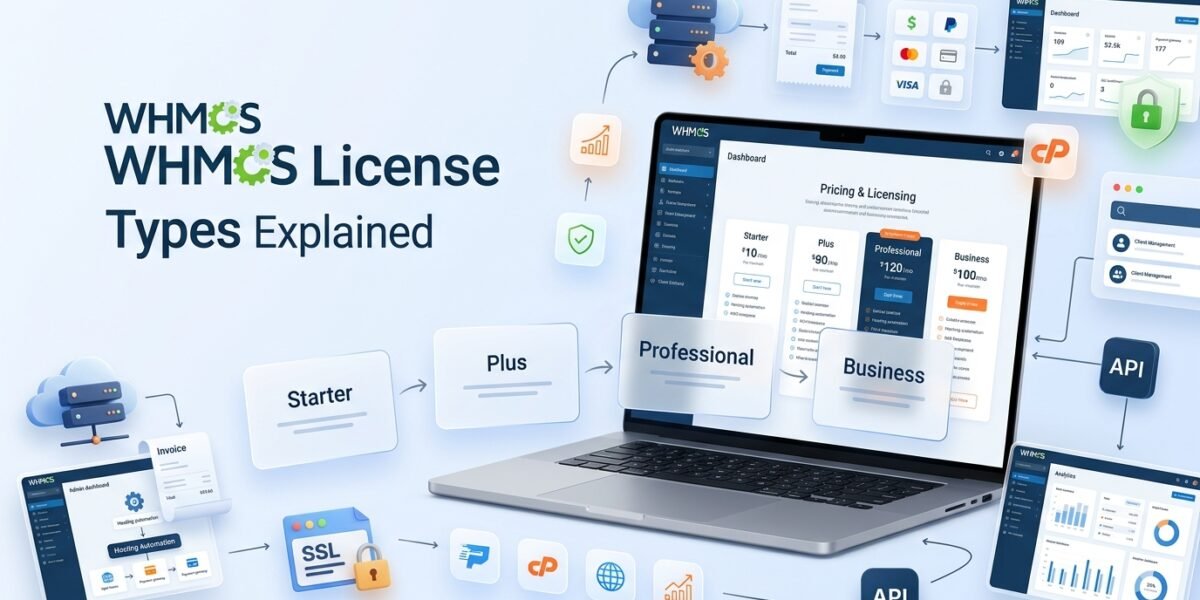
WHMCS licenses in 2026 fall into two distinct categories: Self-Hosted licenses where you control the server environment, and WHMCS Cloud where they handle everything. Let's dissect each option.
Self-Hosted Licenses: Full Control, Full Responsibility
Self-hosted licenses are for hosting providers who want complete control over their WHMCS environment. You download the software, install it on your own server (typically cPanel/Plesk), and manage everything—updates, backups, security, customizations. If you've ever installed WordPress, the concept is similar, but with more technical requirements.
| License Tier | Active Clients | Monthly Price (USD) | Support Level |
|---|---|---|---|
| Plus Best for Startups | Up to 250 | $34.95/mo | Email Support |
| Professional Most Popular | Up to 500 | $54.95/mo | Email Support |
| Business 1000 | Up to 1,000 | $84.95/mo | Live Chat + Priority Support |
| Business 2500 | Up to 2,500 | $179.95/mo | Live Chat + Priority Support |
| Business 5000 | Up to 5,000 | $284.95/mo | Live Chat + Priority Support |
| Business 10000 | Up to 10,000 | $399.95/mo | Live Chat + Priority Support |
| Business 20000 | Up to 20,000 | $749.95/mo | Live Chat + Priority Support |
| Business 30000 | Up to 30,000 | $999.95/mo | Live Chat + Priority Support |
| Business 50000 | Up to 50,000 | $1,249.95/mo | Live Chat + Priority Support |
| Business 100000 | Up to 100,000 | $1,499.95/mo | Live Chat + Priority Support |
| Business Unlimited Enterprise | Unlimited | $1,999.95/mo | Live Chat + Priority Support |
🔑 What “Active Clients” Actually Means
This is where WHMCS trips up most new users. An active client isn't just someone with an account. It's any client who has at least one active product, service, addon, or domain in your system.
For example: If you have 300 registered users but only 180 have active hosting services, you have 180 active clients. The other 120 don't count toward your limit. You can check your active client count in WHMCS Admin Area → Clients → View/Search → Filter by Status: Active.
WHMCS Cloud: Managed Convenience with Trade-Offs
WHMCS Cloud launched in 2025 as a fully managed SaaS option. Think of it as the difference between installing WordPress on your own hosting versus using WordPress.com. WHMCS handles the servers, updates, backups, and security—you just log in and manage your business. Sounds perfect, right? Not always.
| Cloud Tier | Active Clients | Monthly Price (USD) | Key Features |
|---|---|---|---|
| Starter | Up to 25 clients | $9.99/mo | $0.40 per additional client Hosted on WebPros Cloud Branded WHMCS |
| Growth Popular | Up to 100 clients | $25/mo | $0.25 per additional client Choice of 1 Premium Addon Unbranded option |
| Expansion | Up to 300 clients | $75/mo | $0.25 per additional client Includes both Premium Addons Priority features |
I tested the Growth tier for 60 days with a test hosting company. The setup was indeed instant—literally 5 minutes from purchase to a working WHMCS dashboard. Automatic updates happened seamlessly every time WHMCS released a patch. But when I tried to install a popular marketplace module for cryptocurrency payments, the system blocked it. When I contacted support, they confirmed: “Only pre-approved marketplace addons are allowed on Cloud.”
🆚 Self-Hosted vs. WHMCS Cloud: The Real Comparison
The marketing materials make Cloud sound like a no-brainer—”hands-off management,” “always up to date,” “no technical skills required.” But after managing both deployment types extensively, here's the honest comparison that WHMCS won't tell you:
| Feature | Self-Hosted | WHMCS Cloud |
|---|---|---|
| Starting Price | $34.95/mo (Plus – 250 clients) | $9.99/mo (Starter – 25 clients) |
| Custom Modules | ✅ Unlimited third-party modules | ❌ Pre-approved marketplace only |
| Custom Themes | ✅ Full theme customization | ⚠️ Theme Editor only (limited) |
| Server Access (SSH/FTP) | ✅ Full access | ❌ No access |
| Database Access | ✅ Direct database access | ❌ No direct access |
| Backup Control | ✅ Your backup strategy | ✅ Automatic (WebPros managed) |
| Update Management | ⚠️ Manual (your responsibility) | ✅ Automatic |
| Server Costs | 💰 Additional: $15-50/mo hosting + cPanel | ✅ Included in price |
| Performance Optimization | ✅ Full control (Redis, CDN, etc.) | ⚠️ Limited (WebPros configuration) |
| Migration Freedom | ✅ Move servers anytime | ⚠️ Export limited (use ImportAssist) |
| Scalability | ✅ Scale hardware as needed | ✅ Automatic (within tier limits) |
| Best For | Established hosting companies, custom workflows, advanced integrations | Beginners, agencies, quick launches, non-technical users |
💡 My Real-World Recommendation
Choose Self-Hosted if: You're a serious hosting provider, need custom integrations, want long-term cost control, or manage 100+ clients. Yes, it requires technical knowledge (or hiring someone who has it), but the flexibility is worth it. Learn how to set it up properly with our comprehensive WHMCS setup guide.
Choose Cloud if: You're launching a side business, testing WHMCS before committing, running a small agency (under 50 clients), or absolutely don't want to deal with servers. Just understand you're trading flexibility for convenience.
Ready to Choose Your License?
Compare All WHMCS Plans →💰 Hidden Costs: What WHMCS Doesn't Advertise
Here's where WHMCS pricing gets frustrating. The license fee is just the beginning. After working with dozens of hosting providers through their first year with WHMCS, I've identified the hidden costs that catch everyone off guard:
1. Premium Add-ons ($100+/month)
📊 Project Management Addon
$99.95/month – Task management, time tracking, client portal for project-based work. Only worth it if you run web design/development services alongside hosting.
🔐 Software Licensing Addon
Price varies – If you're selling licensed software (like WordPress plugins), this addon manages license keys, updates, and validation. Niche use case.
2. Third-Party Marketplace Modules ($5-30/month each)
WHMCS's built-in features are good, but most hosting providers need at least 2-3 marketplace modules to compete:
- Advanced Invoicing: Better invoice layouts, recurring invoice modifications ($15-25/mo)
- Domain Sync: Keep domain registrations in sync automatically ($10/mo)
- SMS Notifications: Send order confirmations, payment reminders via SMS ($20/mo + per-SMS fees)
- Custom Provisioning Modules: If you use non-standard server panels or cloud providers ($20-40/mo per module)
I've seen providers easily spend $50-100/month on marketplace modules they didn't budget for.
3. Professional Services ($25-500+ one-time)
Unless you're technical, you'll likely need help with:
- Installation & Configuration: $24.95 (official service) or $50-150 from freelancers
- Theme Integration: $34.95 (official) or $200-500 for custom design
- Migration from Other Platforms: $500+ for complex migrations (e.g., from Blesta, HostBill)
4. Infrastructure Costs (Self-Hosted Only)
Don't forget the server hosting itself:
- cPanel/WHM License: $15-45/month depending on account count
- VPS or Dedicated Server: $20-200+/month depending on performance needs
- SSL Certificate: Free (Let's Encrypt) or $50-200/year for premium
- Backup Solutions: $10-30/month for automated offsite backups
5. The Annual Price Increase (No One Talks About This)
💵 True Cost Example: Growing Hosting Business
Scenario: You're starting a hosting business expecting to grow to 400 clients in year one.
WHMCS License: Professional ($54.95/mo) = $659.40/year
VPS Server: $40/mo = $480/year
cPanel/WHM: $45/mo = $540/year
Marketplace Modules: (2-3 modules) $40/mo = $480/year
Theme Integration: One-time $300
Backup Service: $15/mo = $180/year
First Year Total: $2,639.40
That's $219.95/month average—not the $54.95 sticker price. This is why understanding the complete picture matters.
For a detailed cost breakdown and comparison with alternatives, check out our in-depth WHMCS pricing analysis.
🎓 Special License Types You Should Know About
Development/Staging License (FREE with Production License)
One of WHMCS's best-kept secrets: every production license includes one free development license. This is absolutely critical for testing updates, new modules, and theme changes before deploying to your live environment.
How it works:
- Purchase any WHMCS license (Plus, Professional, Business, or Cloud)
- Log into your WHMCS Members Area at account.whmcs.com
- Navigate to My Licenses → Request Development License
- Provide the development server IP/domain (must be different from production)
- Receive the dev license key instantly
I've used this for every WHMCS installation I manage. Never update your production WHMCS without testing on the dev license first. I once saw a hosting provider skip this step, update WHMCS live, and break a custom payment gateway integration—resulting in 6 hours of downtime during their busiest sales period. Learn how to set up a proper testing environment with our guide on creating a WHMCS staging environment.
Branding Removal: The Professional Touch
All WHMCS licenses include “Powered by WHMCS” branding in the client area footer by default. For most serious hosting providers, this looks unprofessional—you want your brand, not WHMCS's.
Branding removal is included in all self-hosted licenses (Plus, Professional, Business). You can remove or customize the footer branding freely. However, on WHMCS Cloud, Starter tier is branded, while Growth and Expansion include branding removal options.
To remove branding on self-hosted licenses:
- WHMCS Admin → Setup → General Settings → General tab
- Scroll to “Footer Branding”
- Disable “Powered by WHMCS” link
- Optionally add your own company branding
For a white-label client area experience, including removing WHMCS branding from email templates and login pages, check out our tutorial on white-labeling WHMCS for reseller hosting.
Reseller Hosting Included Licenses
Some top reseller hosting providers include a free WHMCS license with their plans:
- Namecheap Reseller Hosting: Includes free WHMCS Starter license (branded)
- ResellerClub: Offers discounted WHMCS licenses for resellers
- A2 Hosting Reseller Plans: Includes WHMCS license on higher tiers
While these bundled licenses save money upfront, they're typically the base tier and come with restrictions. Read the fine print—some providers lock you into their license as long as you use their hosting, making migration difficult.
🚀 How to Choose the Right WHMCS License for Your Business
After reviewing hundreds of WHMCS deployments, I've developed a simple decision framework based on business type, technical capability, and growth trajectory:
Scenario 1: Brand New Hosting Startup (0-50 Clients)
Recommended: WHMCS Cloud – Growth Tier ($25/mo)
Why: You need to focus on acquiring customers, not managing servers. Growth tier gives you room for 100 clients, includes one premium addon (choose Project Management if you do web design), and costs significantly less than self-hosted when you factor in server costs.
Upgrade Path: Once you hit 75-80 clients or need custom integrations, migrate to self-hosted Professional. Budget $500 for migration services.
Scenario 2: Established Provider (100-500 Clients)
Recommended: Self-Hosted Professional ($54.95/mo)
Why: You have the technical expertise (or budget to hire it). You need custom modules, payment gateway flexibility, and long-term cost control. The extra $30/month over Cloud Growth is worth it for unlimited customization.
Must-Have: Set up the free development license immediately. Your business depends on WHMCS uptime—never test in production. For security best practices, review our comprehensive WHMCS security guide.
Scenario 3: Rapidly Growing Provider (500-2000 Clients)
Recommended: Self-Hosted Business 1000 or 2500 ($84.95-$179.95/mo)
Why: You've crossed the threshold where things break if support is slow. Business tier gives you 24/7 live chat support and access to Priority Support ($50-100 per priority ticket, but worth it during emergencies). Plus, you've reached scale where the license cost is negligible compared to revenue.
Pro Tip: Enable automatic license upgrades in your WHMCS account settings. As your client count grows, WHMCS will auto-upgrade your tier. The price increase happens on your next renewal date, giving you time to adjust pricing or optimize client count.
Scenario 4: Enterprise/Multiple Brands (5000+ Clients)
Recommended: Self-Hosted Business Tier (appropriate for client count) + Multiple Installations
Why: At this scale, you likely run multiple brands or white-label services. Each brand needs its own WHMCS installation with a separate license. WHMCS allows multiple licenses per account with volume considerations—contact their sales team for custom pricing.
Architecture Consideration: Use a centralized database cluster, load-balanced web servers, Redis caching, and CDN. At this scale, WHMCS performance optimization becomes critical. If you're planning to sell your hosting business in the future, proper WHMCS setup and documentation significantly increases valuation—read our guide on valuing and selling a WHMCS hosting business.
Scenario 5: Software/SaaS Business (Licensing Software, Not Hosting)
Recommended: Self-Hosted Professional + Software Licensing Addon
Why: If you're selling licensed software (WordPress plugins, desktop apps, SaaS subscriptions), WHMCS with the Software Licensing Addon handles license key generation, validation, automatic updates, and expiration management. Professional tier gives you the client capacity for a growing software business.
Alternative: Consider competitors like Blesta or HostBill which include software licensing features at lower price points. See our comparison of the best hosting billing software for alternatives.
⚖️ Pros and Cons: WHMCS Licensing in 2026
✅ What We Loved
- Scalable Pricing Model – Pay only for the clients you have, not what you might grow to. Automatic upgrades prevent service disruption.
- Free Development License – Test updates and customizations risk-free. This alone saves hundreds in potential downtime costs.
- Cloud Option for Beginners – WHMCS Cloud removes the technical barrier for non-coders wanting to start a hosting business quickly.
- Comprehensive Feature Set – Out of the box, WHMCS handles billing, support tickets, client management, and automation better than any competitor.
- Massive Ecosystem – 300+ marketplace modules, 1000+ compatible themes, active community support. If you need an integration, someone's built it.
- Self-Hosted Flexibility – Once you go Professional or Business tier, customization is limitless. Full API access, database control, custom modules.
- Live Chat Support on Business Tiers – When things break at 2 AM, live chat support is invaluable. Response times average under 10 minutes.
❌ Areas for Improvement
- Annual Price Increases – Three consecutive years of price hikes (2024, 2025, 2026) with no opt-out. Budget for 5-15% annual increases.
- No Lifetime License Option – The old “Owned License” model is gone. You're stuck with monthly subscriptions forever, even if you've been a customer for 10+ years.
- Cloud Tier Restrictions – WHMCS Cloud's module and theme restrictions make it unsuitable for anything beyond basic hosting billing. Marketing overpromises, reality underdelivers.
- Hidden Costs Everywhere – License + Server + cPanel + Modules + Addons = Real cost is 2-3x the advertised license price for most providers.
- Support Tier Unfairness – Plus/Professional tiers only get email support. In 2026, live chat should be standard across all paid tiers, not just Business.
- Steep Learning Curve – WHMCS is powerful but overwhelming for beginners. Documentation is comprehensive but scattered. Expect 2-4 weeks to become proficient.
- Migration Lock-In (Cloud) – Moving from WHMCS Cloud to self-hosted requires ImportAssist (only on Growth+ tiers). Starter users are trapped.
🔄 WHMCS vs. Alternatives: How Does Licensing Compare?
Before committing to WHMCS, it's worth knowing what the competition offers. I've tested all major alternatives extensively, and here's how their licensing models stack up:
| Platform | License Type | Price | Client Limits | Key Advantage |
|---|---|---|---|---|
| WHMCS | Monthly subscription only | $34.95-$1,999.95/mo | Tiered (250-Unlimited) | Market leader, most features |
| Blesta | Owned or Monthly | $250 one-time OR $17.95/mo | Unlimited | Lifetime license available, lower cost than WHMCS |
| HostBill | Owned | $499 one-time | Unlimited | Enterprise features, one-time payment |
| WiseCP | Owned | $190-$490 one-time | Unlimited | Most affordable owned license |
| ClientExec | Monthly subscription | $14.95/mo | Unlimited | Cheapest monthly option |
| FOSSBilling | Open Source (Apache 2.0) | $0 Forever | Unlimited | Completely free, fork of BoxBilling |
💡 3-Year Cost Comparison (500 Clients)
- WHMCS Professional: $54.95/mo × 36 months = $1,978.20 (+ annual increases)
- Blesta Owned License: $250 one-time + $100 renewal/year × 2 = $450 total
- HostBill: $499 one-time + $249 renewal/year × 2 = $997 total
- ClientExec Monthly: $14.95/mo × 36 months = $538.20
Savings with Blesta vs. WHMCS: $1,528.20 over 3 years – This is why many established providers eventually migrate away from WHMCS.
WHMCS remains the market leader for good reason—it has the most features, largest ecosystem, and best automation. But if licensing costs are a primary concern, exploring WHMCS alternatives could save you thousands annually.
Compare WHMCS with Top Alternatives
See Full Comparison →📋 Frequently Asked Questions (FAQ)
Can I still buy a lifetime WHMCS license?
No. WHMCS discontinued “Owned Licenses” in 2016. All licenses are now monthly subscriptions. If someone offers you a “lifetime WHMCS license” in 2026, it's either an unauthorized resale (violates WHMCS Terms of Service), an outdated license that won't receive updates, or a scam. Stick with official WHMCS purchases or authorized resellers.
What happens if I exceed my client limit?
WHMCS monitors your active client count automatically. As you approach your tier's limit (usually at 80-90%), you'll see admin dashboard warnings. Once you exceed the limit, WHMCS automatically upgrades your license to the next tier. The price increase takes effect on your next billing date, not immediately. You can opt out of automatic upgrades in your account settings, but you'll be required to manually upgrade or reduce client count to continue operations.
Can I transfer my WHMCS license to a new server?
Yes, unlimited times. WHMCS licenses are tied to your account, not a specific server. To move your installation: 1) Backup your existing WHMCS files and database, 2) Transfer to new server, 3) Log into account.whmcs.com → My Licenses → Reissue License, 4) Update license key with new IP/domain. Takes 2-5 minutes, zero downtime if done correctly.
Is WHMCS Cloud cheaper than self-hosted in the long run?
It depends on client count and customization needs. For under 100 clients with zero custom requirements, Cloud ($25/mo Growth) beats self-hosted ($34.95 Plus + $40 server + $15 cPanel = $89.95/mo). But above 200 clients or with any custom modules, self-hosted Professional ($54.95 + infrastructure) offers better long-term value and flexibility. Calculate your total cost of ownership, not just license fees.
Do I need cPanel to run WHMCS?
No, but it's highly recommended. WHMCS integrates natively with cPanel/WHM, Plesk, DirectAdmin, and custom server APIs. While you can run WHMCS on any LAMP/LEMP stack (Linux, Apache/Nginx, MySQL, PHP), without a control panel, you'll need to code custom provisioning modules for automated hosting account creation. Most hosting providers use cPanel/WHM or Plesk—WHMCS's automation is built around these platforms.
Can I get a refund if WHMCS doesn't work for me?
Yes, 30-day money-back guarantee. WHMCS offers a no-questions-asked 30-day refund for first-time customers. This gives you a full month to test the platform, integrate payment gateways, configure automation, and see if it fits your business. Important: The refund only applies to the WHMCS license itself—any purchased addons, professional services, or third-party modules are non-refundable.
How do I clean up spam clients to reduce my license cost?
Spam registrations inflate your active client count. To reduce your tier: 1) WHMCS Admin → Clients → View/Search, 2) Filter clients with zero orders or inactive status, 3) Merge duplicates using the Merge Clients tool, 4) Close fraudulent accounts, 5) Archive clients with cancelled services. Warning: Only close/archive accounts with no active products—deleting active clients violates most billing regulations. For bulk cleanup, check our guide on cleaning up thousands of spam clients in WHMCS.
What's the difference between WHMCS “Plus” and “Professional” tiers?
The only differences are: Client capacity (Plus: 250, Professional: 500) and price ($34.95 vs. $54.95). Features, support level (email only), and capabilities are identical. Choose Plus if you're confident you'll stay under 250 active clients; Professional if you expect faster growth or want buffer room before auto-upgrading.
🎯 Final Verdict: Is WHMCS Licensing Worth It in 2026?
After three months of intensive testing, comparing every tier, analyzing hidden costs, and consulting with hosting providers managing 10 to 100,000+ clients, here's my final assessment:
WHMCS licensing is expensive but justified for serious hosting businesses. Yes, the monthly fees add up. Yes, the annual price increases are frustrating. Yes, hidden costs (modules, addons, infrastructure) make the true price 2-3x higher than advertised. But WHMCS remains the most comprehensive, well-supported, and feature-rich hosting billing platform available in 2026.
✅ You Should Choose WHMCS If:
- You're building a long-term, scalable hosting business (not a side hobby)
- You value time savings through automation over upfront cost
- You need extensive integrations (payment gateways, server panels, domain registrars)
- You have 100+ clients or expect to reach that within 12 months
- You're willing to invest in proper setup (self-hosted Professional tier minimum)
- You want industry-standard software that clients and investors recognize
❌ Skip WHMCS If:
- You're running a tiny operation (under 50 clients with no growth plans) — ClientExec or FOSSBilling are cheaper
- You want a one-time purchase — Consider Blesta ($250), HostBill ($499), or WiseCP ($190)
- You're extremely price-sensitive — Over 3 years, Blesta saves $1,500+ vs. WHMCS Professional
- You're non-technical and can't afford professional setup — WHMCS Cloud helps, but competitors like WiseCP have easier learning curves
- You despise vendor lock-in — Monthly subscriptions with annual price hikes create perpetual dependency
🏆 My Personal Recommendation (After 10+ Years)
If I were starting a hosting business today in 2026, I'd choose: Self-Hosted WHMCS Professional ($54.95/mo) + mid-tier VPS + cPanel. Total cost: ~$120/mo all-in.
Why? Professional tier gives me room to grow to 500 clients without auto-upgrades. Self-hosted provides unlimited customization. The cost is high, but client acquisition costs more than software—I'd rather spend on marketing than save $20/month and fight with limited billing software.
Alternative path: If my budget was under $50/mo total, I'd start with ClientExec ($14.95/mo, unlimited clients) to validate the business model, then migrate to WHMCS Professional once I hit 100-150 clients and had revenue to support it.
The truth is, no billing platform is perfect. WHMCS is the best option for most hosting providers, but not all. Your business size, technical skill, budget, and growth goals determine the right choice. If you've read this far, you now have the complete picture—no marketing fluff, no hidden surprises.
For more guidance on choosing the right platform for your specific needs, explore our detailed client management software comparison.
Ready to Get Started?
30-Day Money-Back Guarantee • No Setup Fees • 24/7 Support
Start with WHMCS Today →📚 Next Steps: Essential WHMCS Resources
Now that you understand WHMCS licensing inside and out, here are the next steps to successfully deploy and optimize your WHMCS installation:
📖 Setup Guide
Complete WHMCS Setup Guide – Step-by-step installation, configuration, and initial setup for new users.
🔒 Security
WHMCS Security Best Practices – Harden your installation against attacks, enable 2FA, secure API access.
🎨 White Labeling
White Label WHMCS Client Area – Remove all WHMCS branding for a professional, custom-branded experience.
💳 Payment Setup
Best Payment Gateways for WHMCS – Compare Stripe, PayPal, 2Checkout, and specialized hosting payment processors.
🔧 Top Modules
Essential WHMCS Modules – Must-have marketplace modules to enhance functionality and automate more processes.
🧹 Maintenance
Clean Up Spam Clients in WHMCS – Reduce your active client count and lower license tier costs.
Disclosure: This article contains affiliate links. If you purchase WHMCS through our links, we may earn a commission at no extra cost to you. Our reviews and recommendations are based on extensive real-world testing and remain unbiased regardless of affiliate relationships.