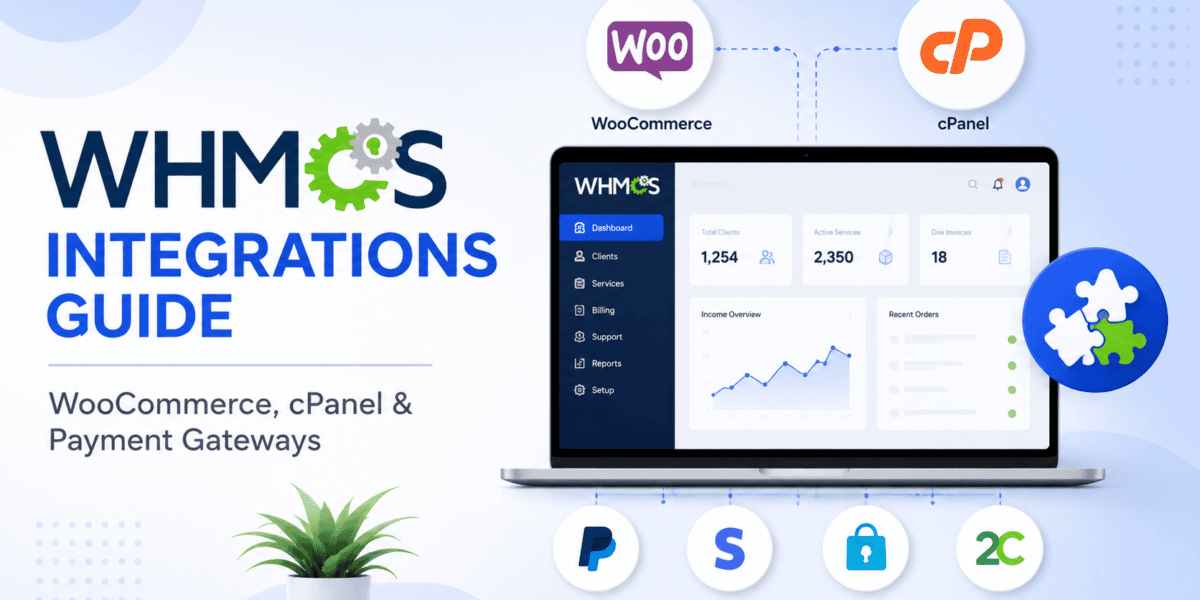
Everything you need to connect WHMCS with your favorite tools — with real setup steps, live examples, and pro tips.
If you've been searching for a single, honest resource on WHMCS integrations, you're in the right place. Most write-ups only cover one piece of the puzzle: a plugin, a payment gateway, or a control panel. But real hosting businesses run on all three working together. Miss one, and you either fail to take payments, fail to provision hosting, or fail to sell anything at all.
I've spent the last several years helping small hosting startups and reseller businesses wire WHMCS to WordPress, cPanel/WHM, and modern payment stacks. This WHMCS integration guide is the checklist I wish existed when I first set up my own hosting brand. We'll cover what each integration actually does, where it fits, common pitfalls, and — where it makes sense — how it stacks up against the alternatives.
Why WHMCS Integrations Matter in 2026
WHMCS by itself is fantastic at billing, invoicing, and automation logic. But almost nothing in your business happens only inside WHMCS. Customers land on a WordPress site. Their servers live on cPanel or Plesk. Their credit cards get charged by Stripe or PayPal. Their domains are registered at Namecheap or Enom.
Every one of those touchpoints is an integration — and WHMCS is designed as the hub that ties them all together. According to the official WHMCS knowledge base, WHMCS ships with native support for 30+ control panels and 30+ domain registrars, plus 20+ payment gateways out of the box.

If you're new to the platform, our what is WHMCS overview gives a full breakdown of how the core system works before you start bolting things onto it. And if you haven't installed WHMCS yet, follow our WHMCS setup guide first — integrations only make sense once the base install is clean and the cron job is properly configured.
The Three Integration Groups You Actually Need
Every WHMCS install revolves around three integration types. Think of them as three legs of a stool — remove one, and the business falls over.
Storefront (WooCommerce)
How customers browse and buy your hosting plans on WordPress before landing in the WHMCS client area.
Provisioning (cPanel/WHM)
How WHMCS creates real hosting accounts, suspends non-payers, and gives one-click cPanel login to clients.
Payment Gateways
How Stripe, PayPal, and other processors move money from your customer's card into your bank account automatically.
WooCommerce WHMCS Integration: Storefront on WordPress
Let's start with the topic most people search for: WooCommerce WHMCS integration. This confuses many new hosts because WooCommerce and WHMCS both do “billing.” Do you need both? Sometimes yes — but they play different roles.
WooCommerce vs WHMCS — Where Each One Fits
| Job | WooCommerce | WHMCS |
|---|---|---|
| Public product catalog on WordPress | ✅ Excellent | ⚠️ Basic order form |
| Recurring hosting invoices | ⚠️ Needs extra plugins | ✅ Native, battle-tested |
| cPanel account provisioning | ❌ Not designed for this | ✅ Fully automated |
| Domain registration & renewal | ❌ Manual only | ✅ Native for 30+ registrars |
| Blog, landing pages, SEO content | ✅ Full WordPress power | ⚠️ Limited |
| Support ticket system | ❌ Needs plugin | ✅ Built-in |
The Two Main Integration Approaches
There are two common patterns for connecting WooCommerce and WHMCS, and picking the right one matters:
1. WHMpress (One-Way Sync — Most Popular)
WHMpress is a WordPress plugin that pulls WHMCS products, prices, and domain search into your WordPress site. Visitors browse on WordPress, and when they click “Order Now,” they're handed off to the WHMCS cart to finish checkout. WHMCS still owns billing and provisioning — WordPress just becomes a prettier front door.
This is the setup I recommend for 90% of hosting startups. You get WordPress SEO and design freedom without losing WHMCS automation.
2. WooCommerce as the Cart + WHMCS as the Provisioner
Some businesses use WooCommerce for checkout because they already have WooCommerce Subscriptions, complex tax rules, or non-hosting products in the same store. In that case, orders sync into WHMCS through a bridge module (like the WooCommerce Payment Gateway module by WHMpress) or via the WHMCS API. It's more powerful but harder to keep in sync.
Setting Up WHMpress in 5 Steps
- Buy WHMpress from CodeCanyon and install it as a WordPress plugin (Plugins → Add New → Upload).
- In WHMCS, go to System Settings → API Credentials and create a new API user with read access to products.
- Paste the WHMCS URL, API identifier, and secret into WHMpress settings inside WordPress.
- Choose which product groups sync — hosting, VPS, reseller, etc.
- Drop the WHMpress shortcodes onto your pricing page. Products, domain search, and cart handoff all appear automatically.
WHMCS cPanel Integration: The Provisioning Engine
If WooCommerce is the storefront, cPanel/WHM is the factory floor. The WHMCS cPanel integration is what makes a customer's brand-new order magically appear as a working hosting account — usually within seconds of payment.
What the cPanel Module Actually Does
Once you connect a WHM server to WHMCS, the module handles the full lifecycle:
- Create — When an order is paid, WHMCS calls the WHM API and creates a fresh cPanel account with the right package, username, and password.
- Suspend — If an invoice goes overdue past your grace period, WHMCS suspends the cPanel account automatically.
- Unsuspend — Payment comes in → account is instantly reactivated.
- Terminate — For fully canceled or unpaid accounts, WHMCS can wipe the cPanel account after a delay.
- Change Package — Upgrades and downgrades in WHMCS push the new resource limits straight into WHM.
- Single Sign-On — Clients click “Login to cPanel” from their WHMCS client area and land inside cPanel without typing a password.
Step-by-Step: Adding a cPanel Server to WHMCS
- In WHM, create a reseller or root user with an API token. Never use the raw root password.
- In WHMCS, go to System Settings → Servers → Add New Server.
- Set the module to cPanel, enter the server hostname/IP, username, and paste in the WHM API token.
- Click Test Connection. If it fails, check that port 2087 is open from your WHMCS server and that the API token has “Root” or the required WHM ACLs.
- Assign the server to your hosting packages under Products/Services → edit product → Module Settings.
cPanel Extended — When the Native Module Isn't Enough
The stock cPanel module is solid, but if you want extras like one-click WordPress installs, email account management, or database creation directly from the WHMCS client area, most established hosts add cPanel Extended by ModulesGarden. It brings dozens of cPanel features into the WHMCS client area so clients rarely need to log in to cPanel directly. If you're using WP Toolkit on your servers, our guide on automating WordPress installs in WHMCS with WP Toolkit pairs beautifully with this module.
Beyond cPanel: Plesk, DirectAdmin & Friends
Plesk
Very popular on Windows and Linux stacks. Native WHMCS module supports Onyx, Obsidian, and later. Great for WordPress-focused hosts.
DirectAdmin
Lightweight, cheaper licensing, and now with a modern admin UI. Native WHMCS module gives full provisioning like cPanel.
CyberPanel & CWP
Free/open-source options with community-built WHMCS modules — good for tight budgets and LiteSpeed users.
Virtualizor / SolusVM
For selling VPS instead of shared hosting — WHMCS controls VM creation, start/stop, and password resets.
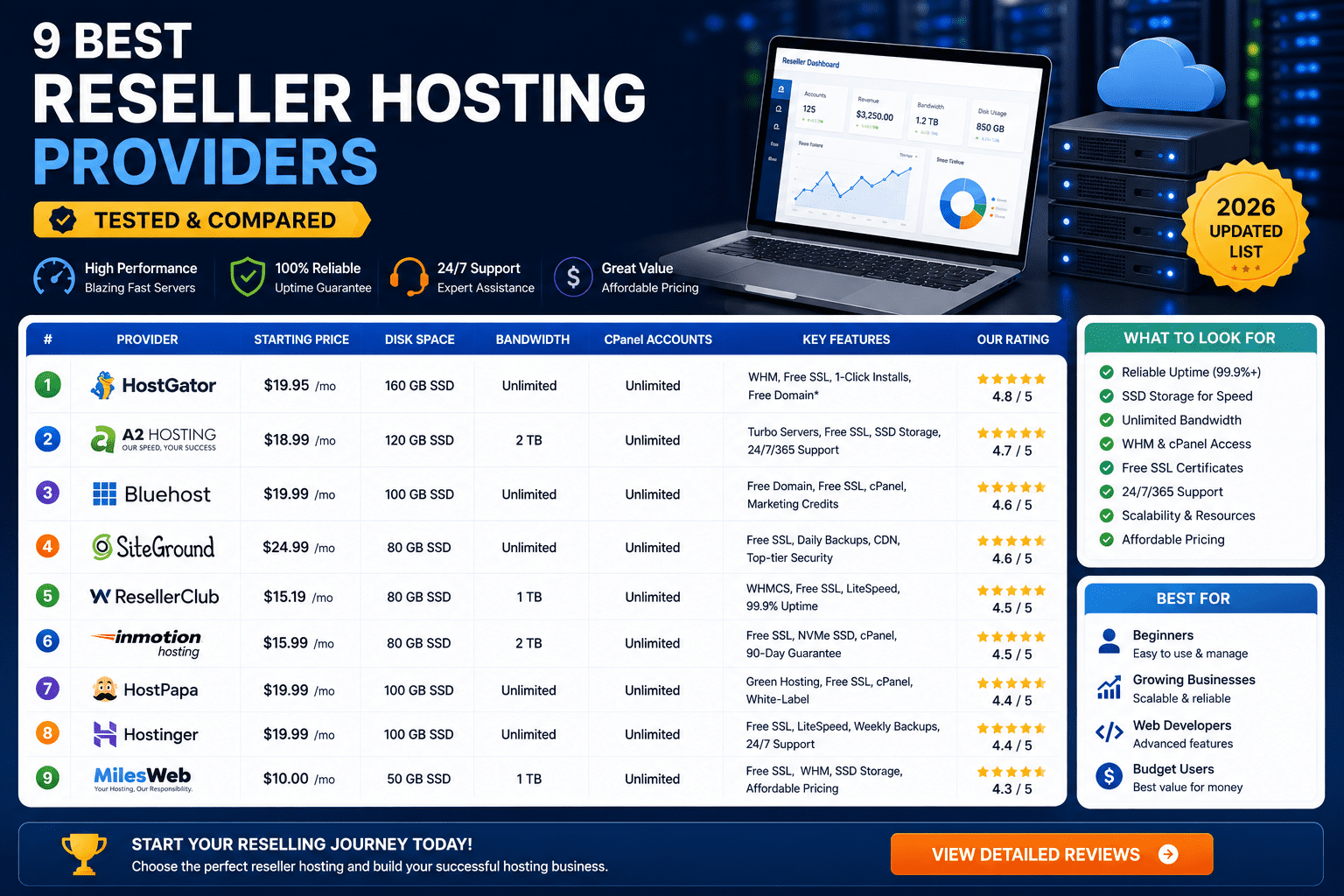
If you're still choosing where to host your servers, our roundup of the best reseller hosting providers for WHMCS & Blesta is a helpful next stop.
Payment Gateways for WHMCS: Getting Paid Reliably
An unpaid invoice is just wishful thinking. The WHMCS payment gateway integration is where you turn contracts into cash — and where most hosting businesses lose the most money to churn and failed transactions if they get it wrong.
The Big Two: Stripe and PayPal
| Feature | Stripe (Dynamic Payments) | PayPal Payments |
|---|---|---|
| Card storage / auto-renewals | ✅ Tokenized card vault | ✅ PayPal Vault |
| 3D Secure & SCA | ✅ Automatic | ✅ Automatic |
| Local payment methods (SEPA, iDEAL, etc.) | ✅ 40+ methods | ⚠️ Fewer options |
| Chargeback interface | Clean dashboard | Buyer-friendly (often loses) |
| Typical fees | ~2.9% + 30¢ | ~2.9% + 30¢ (varies) |
| WHMCS setup difficulty | Easy (native module) | Easy (native module) |
According to the WHMCS blog, Stripe Dynamic Payments is now the recommended way to accept Stripe in WHMCS because it brings Stripe's newer checkout technology and better auth success rates directly into WHMCS.
Setting Up Stripe in WHMCS (Fast Version)
- Create a Stripe account and complete business verification.
- In WHMCS, go to System Settings → Payment Gateways and activate Stripe.
- Paste your Stripe publishable key and secret key from the Stripe dashboard.
- Add the webhook endpoint that WHMCS shows you into your Stripe dashboard under Developers → Webhooks. This is what enables auto-renewals and refund sync.
- Run a $1 test transaction, then flip to live mode.
Other Gateways Worth Knowing
2Checkout / Verifone
Great for merchants without their own merchant account — acts as a merchant of record and handles tax globally.
Authorize.Net
Popular in the US for merchants with an existing traditional merchant account.
Razorpay / PayU
The go-to for hosts serving Indian and South Asian customers — native UPI support.
Crypto (BitPay, NOWPayments)
For hosts targeting privacy-focused clients or unbanked regions. Non-reversible, but volatile.
We keep a live list of the best payment gateways for WHMCS that goes deeper on fees, regional availability, and setup gotchas.
Domain Registrar Integrations
You can't sell hosting without domains. WHMCS ships with modules for 30+ domain registrars, including:
- Enom & OpenSRS — the classic reseller registries used by most established hosts.
- ResellerClub / LogicBoxes — cheap TLDs, widely used in Asia and Europe.
- Namecheap — retail-friendly pricing and clean API.
- GoDaddy Reseller — huge TLD catalog, higher wholesale prices.
- Realtime Register / Openprovider — enterprise-grade with 1000+ TLDs and price sync.
Pick a registrar, drop your API credentials into System Settings → Domain Registrars, click “Test Connection,” and WHMCS will auto-register domains at checkout — no manual work. If you need a broader shortlist, check our comparison of the best domain registrars.
The WHMCS API: Custom & Third-Party Integrations
Sometimes you need an integration that doesn't exist yet — pushing invoices into QuickBooks, syncing clients to HubSpot, or building a mobile app. That's what the WHMCS API is for.
The official WHMCS API lets you trigger almost anything from an external system: create orders, add clients, run reports, or fire tickets. For a full walkthrough with real code examples, read our dedicated guide on how to use the WHMCS API.
Add-on Modules Every Serious WHMCS Install Should Consider
Fraud Protection (MaxMind)
Blocks fraudulent orders before they hit your payment gateway. See our WHMCS fraud protection guide.
Mail (SMTP / SendGrid)
Reliable transactional email delivery. Our email deliverability guide covers SPF, DKIM, DMARC.
Analytics (MetricsCube)
Deep churn, MRR, and cohort analytics on top of your WHMCS data — Stripe-dashboard-style insights.
SSL Automation
Sectigo, Let's Encrypt, and GoGetSSL modules auto-issue and renew SSLs alongside hosting orders.
For a curated shortlist, see our roundup of the best WHMCS modules.
Pros and Cons of WHMCS as an Integration Hub
✅ What Works Well
- Huge ecosystem: 30+ control panels, 30+ registrars, 20+ payment gateways out of the box
- Stable, well-documented API for custom work
- Native modules mean upgrades rarely break integrations
- Massive community and marketplace (ModulesGarden, WHMCS Marketplace)
- Battle-tested for over a decade in real hosting businesses
⚠️ Where It Gets Painful
- Third-party modules vary in quality — check reviews before buying
- Some legacy modules haven't kept up with PHP 8.2+ requirements
- License model can get expensive once you enable branding removal + all add-ons
- WooCommerce integration is bolt-on, not native
- You can accidentally break integrations after major version upgrades if you skip testing
If cost is a concern, compare with our breakdown of WHMCS license types and pricing and the best WHMCS alternatives.
Common Integration Mistakes (And How to Avoid Them)
- Skipping the cron job. Nothing auto-renews, nothing auto-suspends. Fix it with our WHMCS cron setup guide.
- Using the root WHM password. Always use an API token with the minimum ACLs the module needs.
- Only one payment gateway. One decline = one lost customer. Enable at least two.
- Not adding webhook URLs. Stripe and PayPal need webhooks configured or your renewals will silently fail.
- Testing on production. Read our guide on how to set up a proper WHMCS staging environment.
For a broader list, our post on the most common WHMCS mistakes saves you weeks of pain.
Best For / Skip If
WHMCS Integrations Are Best For:
- Reseller hosts and hosting startups running cPanel, Plesk, or DirectAdmin
- Any business selling recurring hosting, VPS, domains, or SSL
- Operators who want WordPress on the front end and full automation on the back end
- Teams that want a mature ecosystem with tons of pre-built modules
Skip / Rethink If:
- You sell mostly physical or one-time digital products — WooCommerce alone may be enough
- You need a fully open-source stack — look at Blesta instead
- You only run 5-10 customers manually — WHMCS is overkill at that scale
Where to Buy WHMCS
You can buy WHMCS licenses directly or through authorized resellers. For current pricing and license tier comparison, our up-to-date WHMCS pricing breakdown lists every tier (Starter, Plus, Professional, Business) along with what integrations each unlocks. Most hosts starting out are fine with the Starter or Plus tier and upgrade later.
Final Verdict on WHMCS Integrations
The Bottom Line
If your business revolves around selling hosting, domains, or any recurring service, WHMCS remains the most integration-rich platform on the market in 2026. The core cPanel and payment gateway integrations are rock-solid, WooCommerce interop through WHMpress is clean, and the API + module ecosystem lets you extend the platform anywhere you can imagine.
The only real weakness is that quality varies between third-party modules — do your homework before installing anything from the marketplace. Otherwise, this is the closest thing to a “hosting business in a box” that exists today.
Storefront ✓Provisioning ✓Payments ✓Domains ✓API ✓
Further Reading on HostBillingPro
- Complete WHMCS Review — Features, Pros & Cons
- WHMCS Setup Guide for Beginners
- WHMCS Security Guide — Hardening Your Install
- How to Set Up Multi-Currency Billing in WHMCS
- How to White-Label the WHMCS Client Area
- WHMCS vs Blesta — Which Should You Pick?
- WHMCS vs HostBill Head-to-Head
- How to Start a Hosting Business (Full Roadmap)