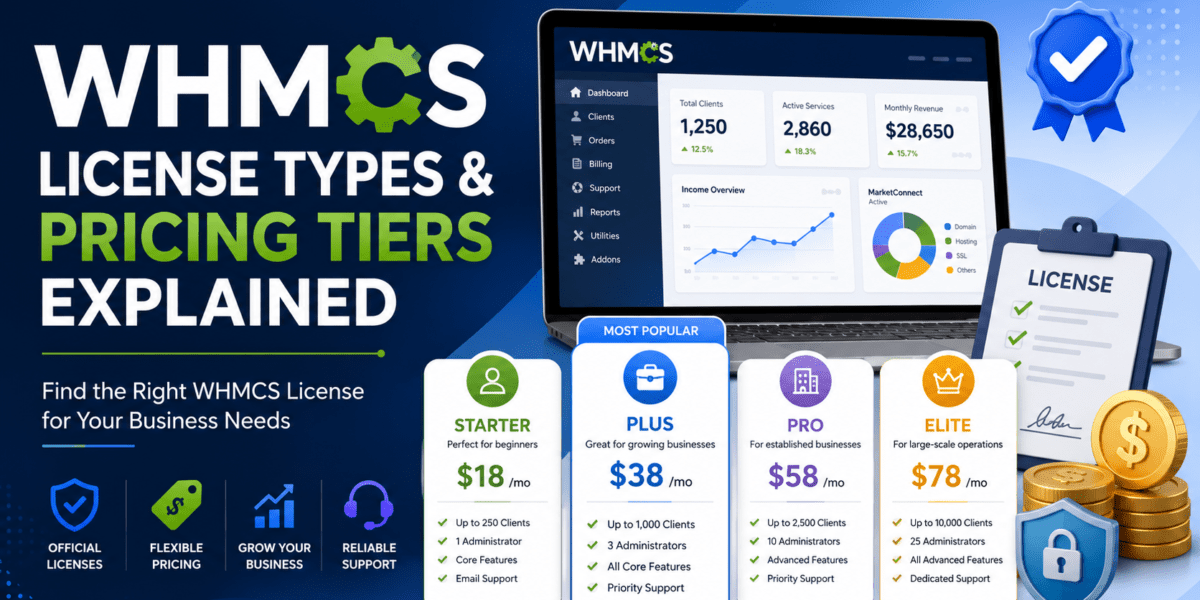
If you've spent more than ten minutes researching billing software for a web hosting or reseller business, you've already bumped into WHMCS. It's the de-facto standard for hosting automation — but the licensing model is where most people get tripped up. WHMCS overhauled its pricing for 2026, retired its old “owned” license model, and now everything is subscription-based and pinned to your active client count.
I've personally onboarded dozens of hosts onto WHMCS over the past decade, and the single biggest avoidable mistake I see is buying the wrong tier — either overpaying by 2× or hitting a client cap on launch day. This guide breaks down every whmcs license tier currently sold, what's included, how the 15-day evaluation actually works, the minimum system requirements your server needs to meet, and a decision helper to match your business size to the right plan.
📋 What You'll Learn
- All current WHMCS license tiers and 2026 prices
- Starter, Plus, Professional, Business — what's in each
- How the WHMCS 15-day trial / 30-day money-back works
- Minimum system requirements (PHP, MySQL, extensions)
- “Which license do I need?” decision helper by business size
- FAQ: cheapest whmcs license, pricing, requirements
WHMCS License Types at a Glance
WHMCS sells two delivery models — Self-Hosted (you install on your own server) and WHMCS Cloud (fully managed SaaS). Each model has multiple tiers. The number that matters most is your active client count: a client is “active” if they have at least one paid product, service, addon, or domain attached to them.
| License Tier | Active Clients | Monthly Price (2026) | Support | Hosting |
|---|---|---|---|---|
| Starter (Cloud) | Up to 25 | $9.99 | WHMCS Cloud | |
| Plus (Self-Hosted) | Up to 250 | $34.95 | Your own server | |
| Professional | Up to 500 | $54.95 | Your own server | |
| Business 1000 | Up to 1,000 | $84.95 | Email + Live Chat + Priority* | Your own server |
| Business 2500 | Up to 2,500 | $179.95 | Email + Live Chat + Priority* | Your own server |
| Business 5000 | Up to 5,000 | $284.95 | Email + Live Chat + Priority* | Your own server |
| Business 10000 | Up to 10,000 | $399.95 | Email + Live Chat + Priority* | Your own server |
| Business 20000 | Up to 20,000 | $749.95 | Email + Live Chat + Priority* | Your own server |
| Business 30000 | Up to 30,000 | $999.95 | Email + Live Chat + Priority* | Your own server |
| Business 50000 | Up to 50,000 | $1,249.95 | Email + Live Chat + Priority* | Your own server |
| Business 100000 | Up to 100,000 | $1,499.95 | Email + Live Chat + Priority* | Your own server |
| Business Unlimited | Unlimited | $1,999.95 | Email + Live Chat + Priority* | Your own server |
*Priority Support is a per-ticket fast-track service available to Business-tier holders during core business hours.
WHMCS Pricing Tiers — Deep Dive
Starter (Cloud)
Best for: First-time founders, side projects, MVPs.
- Up to 25 active clients
- $0.40 per additional client
- Hosted on WebPros Cloud
- Auto updates & backups
- Email support
Plus (Self-Hosted)
Best for: Small hosts, freelancers, lean resellers.
- Up to 250 active clients
- Install on your own server
- All standard WHMCS modules
- Email support
- Free updates while subscribed
Professional
Best for: Established hosts, scaling agencies.
- Up to 500 active clients
- Install on your own server
- All standard WHMCS modules
- Email support
- Best value per-client ratio
Business
Best for: Mid-to-enterprise hosts & large agencies.
- 1,000 → Unlimited clients
- Email + Live Chat support
- Access to Priority Support
- Self-hosted on your server
- 11 sub-tiers to choose from
1. WHMCS Starter License (Cloud) — $9.99/month
This is the cheapest WHMCS license you can buy in 2026, and the one most newcomers ask about. The catch: it's only available as part of WHMCS Cloud — meaning WebPros hosts it for you on their infrastructure. You don't get SSH/FTP access, you can't upload custom themes, and custom module support is limited to a curated marketplace.
If you're testing the waters, validating a hosting startup idea, or running a small reseller side-project with under 25 clients, Starter is genuinely fantastic. The $0.40 per-additional-client overage rate means it can quietly grow with you for a while before you need to switch tiers. For a full walkthrough of getting started, see our WHMCS Setup Guide.
2. Plus License — $34.95/month
The Plus tier is the de-facto starting point for anyone serious about buying WHMCS for self-hosted deployment. You get the full WHMCS application installed on your own cPanel/Plesk/VPS environment, support for all standard modules (cPanel, Plesk, DirectAdmin, all the major domain registrars, every common payment gateway), and a 250 active client ceiling.
250 clients sounds modest, but realistically that's enough headroom for most small hosting businesses to reach $5,000–$10,000/month in revenue before needing an upgrade. The trade-off vs. Cloud Starter is you now own the operational responsibility — server uptime, security patching, backups, the works.
3. Professional License — $54.95/month
Once you cross ~150 active clients, the Professional tier becomes the value sweet spot. You're paying roughly $20/month more than Plus but doubling your ceiling to 500 clients. That's a per-client cost of about 11 cents per month — the lowest you'll see at the SMB level.
I generally recommend skipping Plus entirely and starting at Professional if your business plan projects more than 100 clients in year one. The upgrade-mid-year pain (and the inevitable “client limit approaching” emails) isn't worth saving $20/month.
4. Business Tier — $84.95 to $1,999.95/month
The Business tier is where WHMCS gets serious. You unlock Live Chat technical support (Plus and Professional are email-only) plus access to Priority Support — a fast-track ticket service with under-60-minute initial response times, available during core business hours for an additional per-ticket fee.
Business is sold in 11 sub-tiers from “Business 1000” (1,000 clients, $84.95/mo) all the way up to “Business Unlimited” ($1,999.95/mo). The price jumps between sub-tiers are aggressive — going from 1,000 to 2,500 clients more than doubles your monthly bill. Plan your growth headroom carefully.
5. What About “Extended Validity” Licenses?
You may see the term “Extended Validity” pop up on third-party reseller sites. This refers to discounted multi-year license bundles sold by official WHMCS partners — typically 1, 2, or 3-year prepaid terms in exchange for a discount of 5–15%. They aren't a separate tier; they're a billing duration on top of Plus / Professional / Business. If you're confident in your tier choice and want to lock in 2026 pricing before any future increases, Extended Validity bundles can save real money — but always buy from an authorized reseller.
The WHMCS 15-Day Trial — How It Actually Works
Here's a clarification that catches a lot of people out: WHMCS does not advertise a traditional “15-day free trial” license the way cPanel/WHM does. What WHMCS offers instead is a 30-day money-back guarantee on every new license — which functionally acts as a longer, fully-featured trial.
The “15-day” terminology you'll see floating around the community typically refers to either:
- Legacy trial license keys — WHMCS used to issue short-term evaluation keys (often 15 days) to developers building modules or themes. These are now handled case-by-case through the WHMCS sales team rather than as a self-serve signup.
- Reseller-bundled trials — Some authorized resellers offer their own 7- or 15-day trial periods on top of WHMCS's policy.
- Free Trial product configurations — Inside WHMCS itself, you (the host) can configure your own product offerings with free trial periods for your customers. This is a feature for your clients, not for you as the WHMCS buyer.
How to “Trial” WHMCS Risk-Free
Step 1: Buy any tier 10 min
Purchase Plus, Professional, or even a Business sub-tier. License keys are delivered instantly.
Step 2: Install & test thoroughly 7–14 days
Set up products, payment gateways, automation. Use the time to confirm WHMCS does what your business needs. Our WHMCS Setup Guide walks through this end-to-end.
Step 3: Keep it — or refund within 30 days No questions
If WHMCS isn't right for you, request a refund within 30 days of purchase. WHMCS markets this as a “no questions asked” guarantee for new customers.
For developers who need a true throwaway license for module/theme work, the recommended route is to contact WHMCS sales directly and request a developer evaluation key. They evaluate these on a case-by-case basis.
WHMCS System Requirements (V9.0 — Current)
Before you spend a dollar on any whmcs license, make sure your server can actually run it. The 9.0 release tightened requirements significantly — particularly the PHP version. Running WHMCS on outdated PHP is the single most common source of cron and email errors. If you're already seeing those, our WHMCS cron/PHP version mismatch fix guide walks through the exact resolution.
Minimum vs. Recommended Server Specs
| Requirement | Minimum | Recommended |
|---|---|---|
| Operating System | Linux (LAMP) | Linux (LAMP) |
| Web Server | Apache 2.x | Apache 2.x + mod_rewrite |
| PHP Version | PHP 8.2 | PHP 8.3 |
| PHP Memory Limit | 64 MB | 128 MB |
| MySQL Version | MySQL 5.2 | MySQL 8.x |
| DB Collation | — | utf8_unicode_ci |
| Disk Space | 250 MB | 2 GB+ (scales with activity) |
| ionCube Loader | 13.0.2+ (PHP 8.2) | 14.4.0+ (PHP 8.3) |
Required PHP Extensions
- cURL 7.36 or higher with SSL support
- GD2 image library
- IMAP extension
- ionCube Loader (mandatory — WHMCS is encoded)
- JSON
- PDO + PDO_MySQL (must be compiled with mysqlnd, not libmysqlclient)
- Reflection
- XML / libxml / DOM
Strongly Recommended Extensions
- BC Math, Fileinfo, GMP, iconv, Intl, mbstring, SOAP
- OpenSSL 1.0.1c or higher (with TLS 1.2 or higher)
phpinfo() on your test server before committing to a license.
Which WHMCS License Do I Need? — Decision Helper
The right tier depends on three things: current active client count, 12-month growth projection, and how much hand-holding you need from WHMCS support. Find the scenario that matches you below.
🌱 Solo founder / Side project < 25 clients
Buy: WHMCS Cloud Starter — $9.99/mo
You don't want server ops in your life yet. Starter lets you skip the install, configure products in a few hours, and pay per-client as you grow ($0.40 each above 25). Switch to self-hosted later when you outgrow it.
🚀 New hosting business 0–150 clients (year 1 target)
Buy: Plus — $34.95/mo
You want full control, custom modules, your own theme, your own server. Plus gives you that headroom for the first 12–18 months. Pair this with our how to start a hosting business guide for the full launch playbook.
📈 Growing reseller / Small host 150–500 clients
Buy: Professional — $54.95/mo
Best value per client at this scale. You'll comfortably operate for 2+ years before hitting the 500-client ceiling. Email-only support is fine because by now you know your way around WHMCS.
🏢 Established hosting company 500–1,000 clients
Buy: Business 1000 — $84.95/mo
The jump from Professional to Business unlocks Live Chat technical support — which becomes essential when downtime starts costing real revenue. Priority Support per-ticket is your insurance policy for production emergencies.
🌐 Mid-market host / SaaS billing 1,000–10,000 clients
Buy: Business 2500 to Business 10000 — $179.95 to $399.95/mo
Pick the sub-tier 1.5× larger than your current client count to absorb 12 months of growth without forced upgrades. Auto-upgrade is on by default — turn it off if you want manual control over your billing.
🏛️ Enterprise / Large agency 10,000+ clients
Buy: Business 20000 → Business Unlimited — $749.95 to $1,999.95/mo
At this scale, talk to WHMCS sales about Extended Validity / multi-year prepaid deals — discounts of 5–15% are negotiable. Also strongly consider a proper WHMCS staging environment so you're not testing on production.
WHMCS vs. The Alternatives — Quick Comparison
If the new WHMCS pricing has you reconsidering, you're not alone. Here's how the entry-level tiers stack up against the most credible alternatives:
| Platform | Entry Price | Model | Client Limit | Best For |
|---|---|---|---|---|
| WHMCS Plus | $34.95/mo | Subscription | 250 | Market-standard, biggest ecosystem |
| Blesta | $13.95/mo | Subscription / Owned | Unlimited | Open-source friendly, cheaper |
| WISECP | $11.99/mo | Subscription | Unlimited | Modern UI, growing fast |
| HostBill | $599 one-time | Owned + addons | Unlimited | Heavily modular, enterprise |
| ClientExec | $14.99/mo | Subscription | Unlimited | Simple, predictable pricing |
For a deeper head-to-head, see our best WHMCS alternatives roundup. That said, WHMCS still wins on module ecosystem, registrar/control-panel integrations, and the sheer volume of community knowledge — which is why most hosts ultimately stay with it despite the price hikes.
Pros & Cons of WHMCS Licensing in 2026
What's Good
- Clear, tiered pricing tied to actual usage
- Instant license activation
- 30-day money-back guarantee = de-facto trial
- Massive module & addon marketplace
- Live Chat & Priority Support on Business tiers
- Cloud option removes server ops headache
- Auto-upgrade prevents service interruption
What's Painful
- 2026 prices raised 10–18% across the board
- Owned/perpetual licenses retired
- Self-hosted Starter tier eliminated
- Steep cost jumps between Business sub-tiers
- No self-serve 15-day trial key
- Cloud has no SSH/FTP/custom theme uploads
- Priority Support is per-ticket extra fee
See WHMCS in Action
Before you commit to any tier, watch a current walkthrough of the WHMCS admin panel and installation flow:
Final Verdict
For most hosting businesses, buying WHMCS is still the right call in 2026 — the ecosystem advantage, registrar/control-panel integrations, and operational maturity outweigh the price increase. The decision really comes down to picking the correct tier on day one. Use the decision helper above, don't overbuy, and remember the 30-day money-back guarantee is your safety net.
What Real Hosts Are Saying (2026)
“Upgraded from Plus to Professional in Q1 2026. The 250→500 client ceiling jump alone bought us 18 more months of runway. Worth every dollar.” — Mark D., reseller host, March 2026
“WHMCS Cloud Starter is criminally underrated. I launched my microhost for $9.99/month, zero server admin overhead. Hit 22 clients in 4 months.” — Priya K., founder, May 2026
“Priority Support saved us during a payment gateway outage in February. Under-60-min response, fix in 90. That's the real Business tier value.” — Tomas R., CTO, mid-market host, February 2026
Frequently Asked Questions
What is the cheapest WHMCS license?
The cheapest whmcs license in 2026 is the WHMCS Cloud Starter plan at $9.99/month, which supports up to 25 active clients and is hosted on WebPros Cloud. If you specifically need a self-hosted license you can install on your own server, the cheapest entry point is the Plus tier at $34.95/month for up to 250 clients.
What is the current WHMCS license price?
As of 2026, whmcs license price ranges from $9.99/month (Cloud Starter, 25 clients) to $1,999.95/month (Business Unlimited). The most common tiers are Plus ($34.95), Professional ($54.95), and Business 1000 ($84.95). All pricing excludes VAT.
What are the WHMCS system requirements?
WHMCS V9.0 requires PHP 8.2 or 8.3, MySQL 5.2 or higher (8.x recommended), Apache 2.x, and the ionCube Loader (13.0.2+ for PHP 8.2; 14.4.0+ for PHP 8.3). Minimum PHP memory limit is 64 MB (128 MB recommended), with 250 MB minimum disk space. Required PHP extensions include cURL, GD2, IMAP, JSON, PDO, PDO_MySQL (with mysqlnd), Reflection, and XML.
Is there a WHMCS 15-day free trial?
WHMCS does not offer a self-serve 15-day trial license today. Instead, every new whmcs license ships with a 30-day no-questions-asked money-back guarantee, which effectively acts as a longer trial. Developers needing a short-term evaluation key for module/theme work can request one by contacting WHMCS sales directly.
Can I buy WHMCS as a one-time perpetual license?
No. WHMCS retired its “owned”/perpetual license model for new customers in 2026. All new licenses are subscription-based and renewed monthly or annually. Existing owned licenses continue to function but won't receive updates without an active support & updates subscription.
What happens if I exceed my client limit?
WHMCS will notify you when you approach your tier's client cap. Unless you opt out, your license will automatically upgrade to the next tier so service is never interrupted. You can disable auto-upgrade in your WHMCS members area if you'd rather control upgrades manually.
Can I use one WHMCS license on multiple domains or installations?
No. A WHMCS license is tied to a specific domain, IP address, and directory path — one installation per license. Need a second install for staging or a separate brand? You'll need a second license. For dev/staging best practices, see our WHMCS staging environment guide.
What's the difference between Plus, Professional, and Business?
The differences are client limit and support level. Plus (250 clients) and Professional (500 clients) both get email-only support. Business tiers (1,000+ clients) add Live Chat technical support and access to Priority Support — a faster-response per-ticket service.
Does WHMCS work with cPanel, Plesk, and DirectAdmin?
Yes. WHMCS ships with native modules for cPanel/WHM, Plesk, DirectAdmin, InterWorx, and several others — included with every paid tier. There's also full integration with major registrars (Enom, ResellerClub, NameSilo, OpenSRS, etc.) and 100+ payment gateways out of the box.
I'm getting cron and PHP version errors — what do I do?
This is the #1 issue we see when servers run outdated PHP or have mismatched PHP versions between web requests and CLI cron. Our step-by-step WHMCS cron / PHP version mismatch fix guide walks through the exact resolution.
Related Reading
- WHMCS Pricing Complete Breakdown (2026)
- WHMCS Setup Guide — Install & Configure From Scratch
- Full WHMCS Review — Honest 2026 Verdict
- Best WHMCS Alternatives Compared
- Fix WHMCS Cron / PHP Version Mismatch
- Best WHMCS Modules & Addons
- Best Payment Gateways for WHMCS
- WHMCS Security Hardening Guide
- Common WHMCS Mistakes to Avoid
- How to Start a Hosting Business
Ready to Get Started with WHMCS?
Pick the right tier the first time. Instant activation, 30-day money-back guarantee.
🛒 Buy WHMCS License Now